How Does a URL Shortener Work? The Complete Technical Breakdown
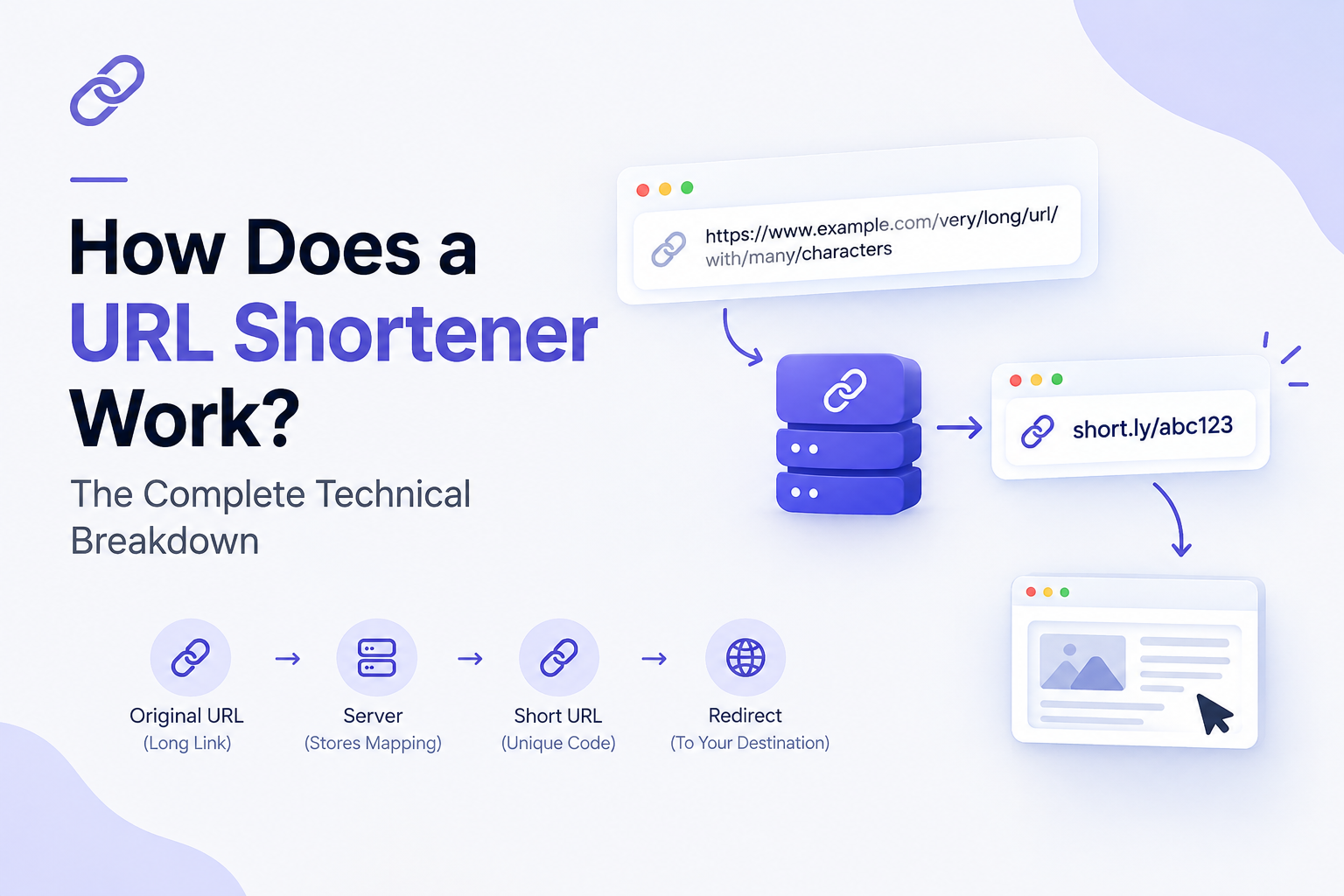
A URL shortener takes a long web address and converts it into a short, easy-to-share link that redirects visitors to the original page. Behind that simplicity sits a small but precise system of hashing, databases, and HTTP redirects working together in milliseconds.
If you've ever wondered what actually happens between the moment someone clicks a short link like short.ly/x7K9p and the moment they land on a full URL, this guide walks through the entire process from link creation to redirect delivery, plus the security and analytics layers modern shorteners add on top.
What a URL Shortener Actually Does
At its core, a URL shortener performs one job: it maps a long URL to a short, unique identifier, stores that mapping, and redirects anyone who visits the short link to the original destination.
Every shortened link has two components:
- The long URL: The original, often unwieldy web address you want to share
- The short code: A compact string of characters (usually 5–8) that represents that URL
For example:
| Long URL | Short URL |
|---|---|
https://www.example.com/products/summer-collection/womens-dresses?utm_source=newsletter&utm_campaign=june2026 | short.ly/sK4mZq |
The short version is easier to type, share on social media, print on business cards, or fit inside a character-limited post but it still leads to exactly the same destination.
The Step-by-Step Process Behind a Short Link
1. You submit a long URL
The process starts when a user pastes a long URL into the shortener's input field and clicks "Shorten." At this point, the service typically runs a quick validation check to confirm the URL is properly formatted and reachable.
2. The system generates a unique short code
This is where the real engineering happens. The shortener needs to create a code that's short, unique, and not already in use. There are two common approaches:
Hashing-based generation The service runs the long URL through a hashing algorithm (such as MD5 or SHA-256), then takes a small slice of the resulting hash and converts it into a URL-safe string using Base62 encoding (a mix of the 26 lowercase letters, 26 uppercase letters, and 10 digits, giving 62 possible characters per position).
A 6-character Base62 string alone can produce over 56 billion unique combinations more than enough headroom for a growing platform.
Counter-based generation Instead of hashing, some systems maintain an auto-incrementing counter (1, 2, 3...) for every new URL submitted, then convert that number into Base62. This guarantees uniqueness without needing to check for collisions, since no two counter values are ever the same.
Most production-grade shorteners use a hybrid of both: a counter or distributed ID generator for uniqueness, combined with encoding logic that keeps the output short and unpredictable.
3. The mapping is stored in a database
Once the short code is generated, the system saves a record pairing the short code with the original long URL typically in a key-value store or a relational database optimized for fast lookups. A simplified record looks like this:
short_code: sK4mZq
long_url: https://www.example.com/products/summer-collection/...
created_at: 2026-09-10T10:15:00Z
expires_at: null
click_count: 0
Because lookups need to happen instantly at scale, most shorteners rely on in-memory caching (like Redis) in front of the primary database, so frequently clicked links don't have to hit disk storage on every request.
4. The short URL is returned to the user
The service combines its domain with the newly generated code for example, short.ly/sK4mZq and hands it back to the user, ready to share.
5. Someone clicks the short link
This is where the redirect logic kicks in. When a browser requests short.ly/sK4mZq, the request hits the shortener's server, not the original destination directly.
6. The server looks up the code and issues a redirect
The server checks its database (or cache) for the short code, retrieves the matching long URL, and sends the browser an HTTP redirect response most commonly a 301 (permanent) or 302 (temporary) status code pointing to the full destination URL.
The browser then automatically follows that redirect and loads the original page. This entire round trip usually takes well under a second.
301 vs. 302 Redirects: Why It Matters
The type of redirect a shortener uses has real consequences, especially for SEO and analytics:
| Redirect Type | Meaning | Typical Use |
|---|---|---|
| 301 (Permanent) | Tells browsers and search engines the resource has permanently moved | Passes most link equity; browsers may cache the redirect |
| 302 (Temporary) | Signals the move is not permanent | Keeps every click routing through the shortener's server, which is essential for accurate click tracking |
Most URL shorteners deliberately use 302 redirects, even though the link is functionally permanent. This ensures every single click passes through their server first which is what makes real-time click analytics possible. A 301 redirect risks being cached by the browser, meaning repeat clicks might bypass the shortener entirely and skip the tracking step.
What Happens Behind the Scenes on Every Click
Beyond the basic redirect, most modern shorteners log additional data with each click, including:
- Timestamp of the click
- Referring source (social platform, email, QR code, direct)
- Approximate geographic location (via IP lookup)
- Device type and browser
- Whether the click is unique or repeat
This data feeds into analytics dashboards, letting marketers see exactly how a link is performing without needing separate tracking tools.
Custom Short Links and Branded Domains
Beyond randomly generated codes, most services also support:
- Custom aliases: Replacing a random string with a memorable one, like
short.ly/summer-saleinstead ofshort.ly/x7K9p - Branded domains: Using your own domain (
go.yourbrand.com) instead of the shortener's default domain, which builds trust and reinforces brand recognition in shared links
Both work the same way under the hood the "short code" is simply whatever string you choose, stored against your long URL in the same database structure.
How URL Shorteners Handle Scale and Reliability
At high traffic volumes, a few engineering considerations become critical:
- Caching layers reduce database load by serving frequently clicked redirects from memory
- Load balancing distributes incoming redirect requests across multiple servers
- Database sharding splits enormous link tables across multiple machines so lookups stay fast as the platform grows
- Rate limiting prevents abuse, such as bots generating thousands of links per second
- Expiration and cleanup jobs archive or purge old, unused links to keep the active dataset lean
This is why free, unreliable shorteners sometimes suffer slow redirects or downtime the underlying infrastructure wasn't built to handle sustained click volume.
Security Considerations Worth Knowing
Because a short link hides its destination until it's clicked, URL shorteners are sometimes misused for phishing or malware distribution. Reputable services counter this with:
- Malware and phishing scanning before a link goes live
- Link previews, letting users see the destination URL before clicking (often via a
+suffix or preview page) - Blocklist checks against known malicious domains
- HTTPS enforcement on both the short link and the redirect target
When choosing a shortener for personal or business use checking whether it actively screens submitted URLs is worth the extra thirty seconds.
Why Businesses Use URL Shorteners
Beyond convenience, shortened links serve real marketing and operational purposes:
- Cleaner sharing on platforms with character limits or where long URLs look unprofessional
- Click tracking for campaigns run across email, social, and paid ads
- A/B testing by routing the same short link to different destinations over time
- QR code generation, since shorter URLs produce simpler, more scannable QR codes
- Branded credibility, when using a custom domain instead of a generic one
Quick Recap: The URL Shortening Process
- User submits a long URL
- The system generates a unique short code (via hashing or a counter, then Base62 encoding)
- The short code and long URL are stored together in a database
- The short URL is returned and shared
- A click sends a request to the shortener's server
- The server looks up the code and issues a 301 or 302 redirect
- The browser loads the original destination while the click is logged for analytics
Frequently Asked Questions
Q1: Is a shortened link permanent?
Ans: It depends on the provider. Most paid plans keep links active indefinitely, while some free tiers may expire or deactivate unused links after a set period.
Q2: Do shortened links slow down page loading?
Ans: The redirect adds a small delay typically a few hundred milliseconds as the request passes through the shortener's server before reaching the destination. On a well-built platform, this is barely noticeable.
Q3: Can two different long URLs get the same short code?
Ans: No. A properly engineered shortener guarantees uniqueness, either through collision-checked hashing or a counter-based system that never repeats a value.
Q4: Does using a URL shortener hurt SEO?
Ans: Not for the destination page itself, since search engines follow redirects to index the original content. However, using 301 redirects (when supported) helps preserve more link authority than 302s.
Can I customize my short link?
Ans: Yes most providers, including Shortnerly, allow custom aliases and branded domains so your links stay recognizable instead of looking like random strings.
Understanding the mechanics behind shortened links makes it easier to choose a provider that prioritizes reliability, security, and analytics not just a smaller URL. A well-built shortener like Shortnerly handles all of this infrastructure so you can focus on sharing links, not maintaining redirect logic.